SYS 49152
May has been a focused month — a set of improvements that each does one thing well. The image inspector got a significant overhaul. Artist gallery pages became considerably more useful. And we've put sustained effort into consistency and polish across the whole site.
Here's what's new.
Raistlin of Genesis Project
|
This Site Succeeds Because of You
Before getting into the new features, a standing invitation — one worth repeating.
C64GFX exists to celebrate the pixel art of the Commodore 64. But a catalog is only as good as the community behind it, and right now there's more you can do to make this site better than anything we can build.
| • Like images. It takes one click, it feeds the popularity rankings, and it tells the community what it values. |
| • Add Favourites. Build your personal collection of up to 100 images — the pool you draw from when building a Top 25. |
| • Publish your Top 25. If you have 20 or more Favourites, your list is ready to share. There's no wrong answer — and seeing where lists diverge is exactly what makes them interesting. |
| • Leave a comment. Many of the people who created these images are still active and notice when someone engages with their work. |
| • Artists: curate your Highlights. Get in touch via the Suggest Changes button and we'll set up your curated showcase. |
| • Suggest a correction. Wrong date, missing credit, incorrect tag — the Suggest Changes button is on every page. Sixty seconds of your time, permanent improvement to the archive. |
The more people participate, the more valuable C64GFX becomes for everyone.
|
Image Inspector: CRT Mode
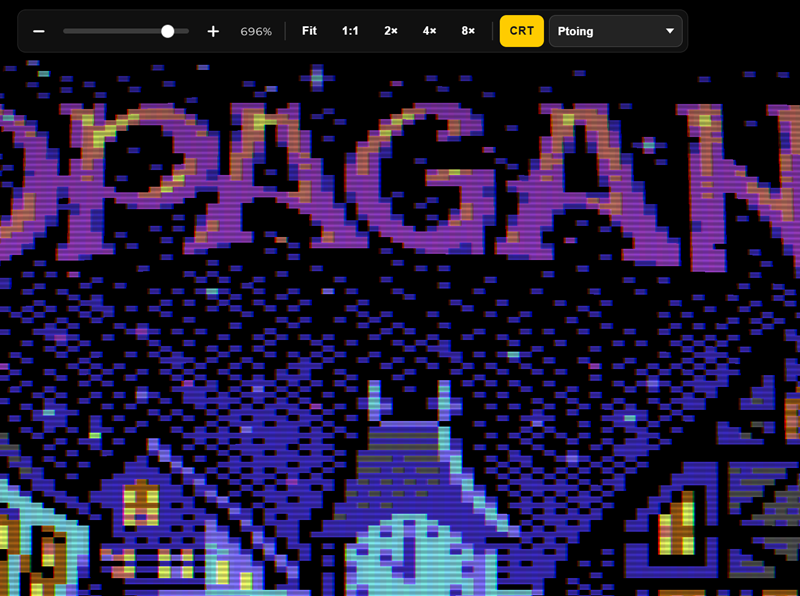
The fullscreen image inspector now has a CRT mode — a proper WebGL-based simulation of a Commodore 64 monitor, rendered in real time over the artwork.
The effect isn't a flat scanline overlay. It's a WebGL shader pass that applies barrel screen curvature, a slot-mask aperture grille, phosphor bloom, tube vignette, and a slight chromatic shift at the edges. The result is closer to what these images actually looked like when they were being created — the slight curve of the glass, the structure of the phosphors, the characteristic glow of a warm CRT.
Toggle it on and off with the CRT button in the inspector toolbar. Try it on something you know well — there's a reasonable chance it changes how you see it.
|
Image Inspector: Palette Swap
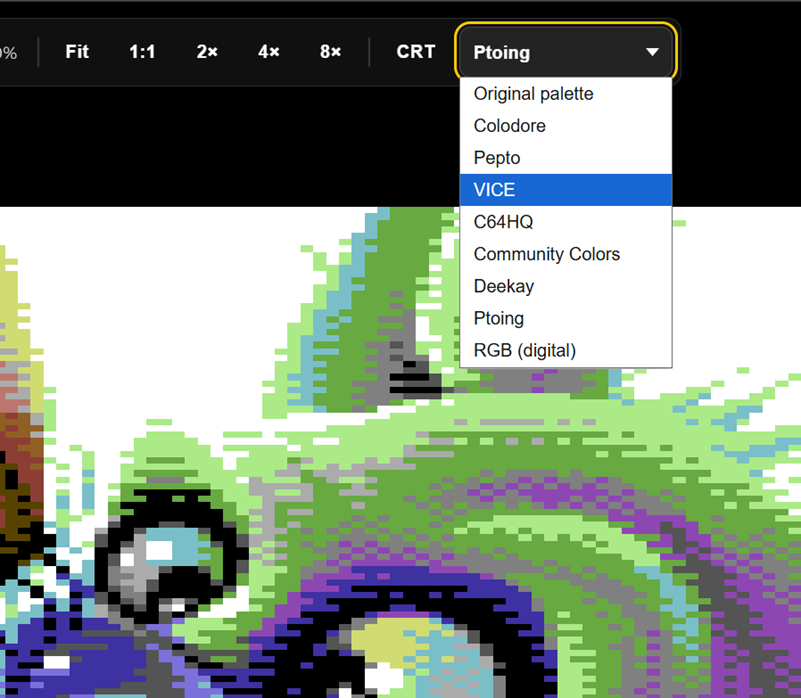
Also new in the inspector: a palette dropdown that lets you view any image in different C64 colour palettes.
The palette swap remaps each pixel by its C64 colour index to the selected preset entirely in your browser. Switch between Colodore, Pepto, VICE, and others without leaving the page. Your preference is saved so it persists across images.
CRT mode and palette swap work together — so you can view an image in your preferred palette, through a CRT shader, at full screen. Which is, frankly, how these images were meant to be seen.
|
Artist Gallery: Filters and Sort
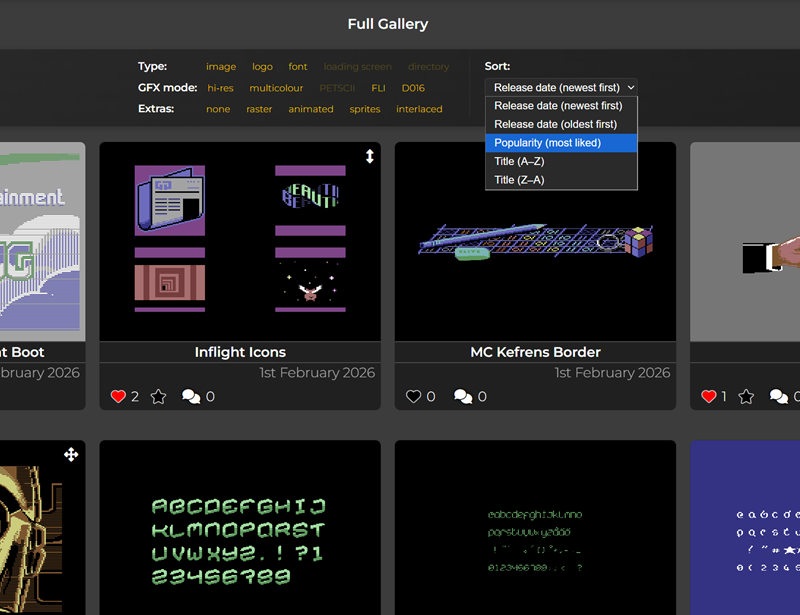
Artist gallery pages now have a proper filter and sort panel. Filters are organised into three rows of toggle pills:
| • Type — Image, Logo, Font, Sprite, Loading screen, Dir art |
| • GFX mode — Hi-Res, Multicolour, FLI, PET, Raster |
| • Extras — Animated, Workstage |
Toggles across rows combine with AND, and a pill can be toggled a second time to exclude that tag. The sort dropdown lets you order by release date (newest or oldest) or popularity. The visible count updates as you filter.
If you follow artists with large catalogs spanning multiple graphic modes and decades of work, this is a significant improvement for navigating their pages.
|
Artist Gallery: Group by Handle
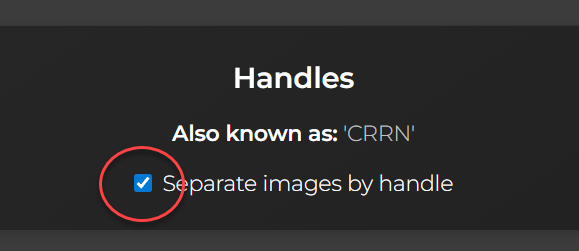
For artists who have worked under more than one handle, the gallery now has a "Group by handle" toggle that splits the view into labelled per-handle sections — one for each identity — while keeping the single filter and sort panel active across all of them.
If an artist's work under two names spans very different periods or styles, you can browse them separately without losing the context of the full combined catalog.
|
Keywords: Preview Thumbnails
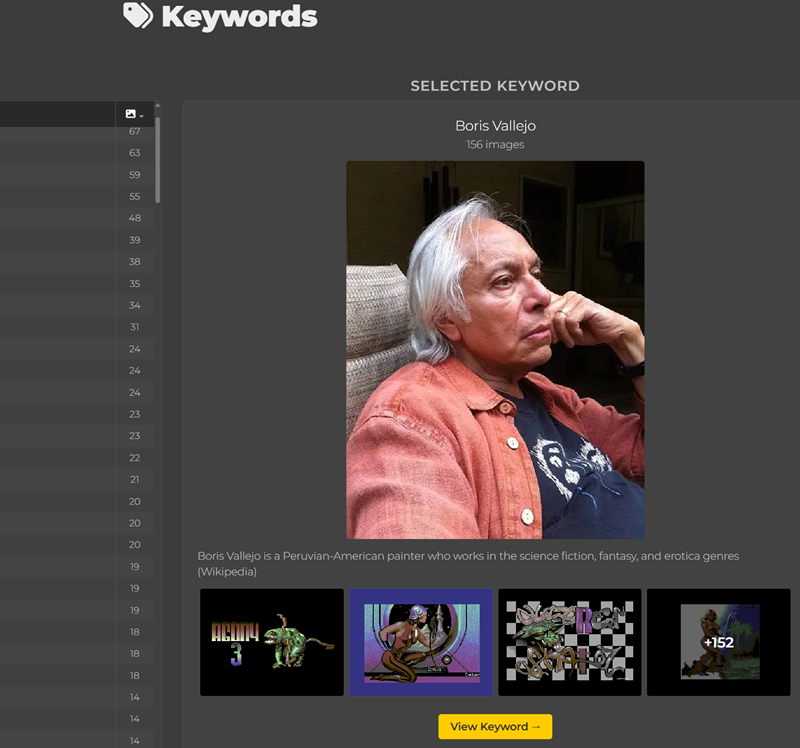
The Keywords index now shows richer previews when you hover over a keyword — a short excerpt of the description and a strip of up to four sample images tagged with that keyword, with a "+N" badge when there are more. Each thumbnail links through to the full keyword page.
For anyone who wants a quick visual sense of what a keyword covers before navigating into it, this is a meaningful improvement to discovery.
|
Site Polish
Alongside the headline features, we've put sustained effort into consistency and polish across the whole site. Cards, galleries, and navigation all follow a more unified design language now, with the artwork — always — made the main focus of every page.
|
Until Next Time
The inspector in particular has become something genuinely enjoyable to spend time in. Open an image you love, switch on CRT mode, try a palette or two, and settle in.
If you spot something to report or have a suggestion for what to build next, the Suggest Changes button is always there. And if you've got feedback, ideas, or pixel-art news to share — just reply to this email.
— Raistlin
|
|